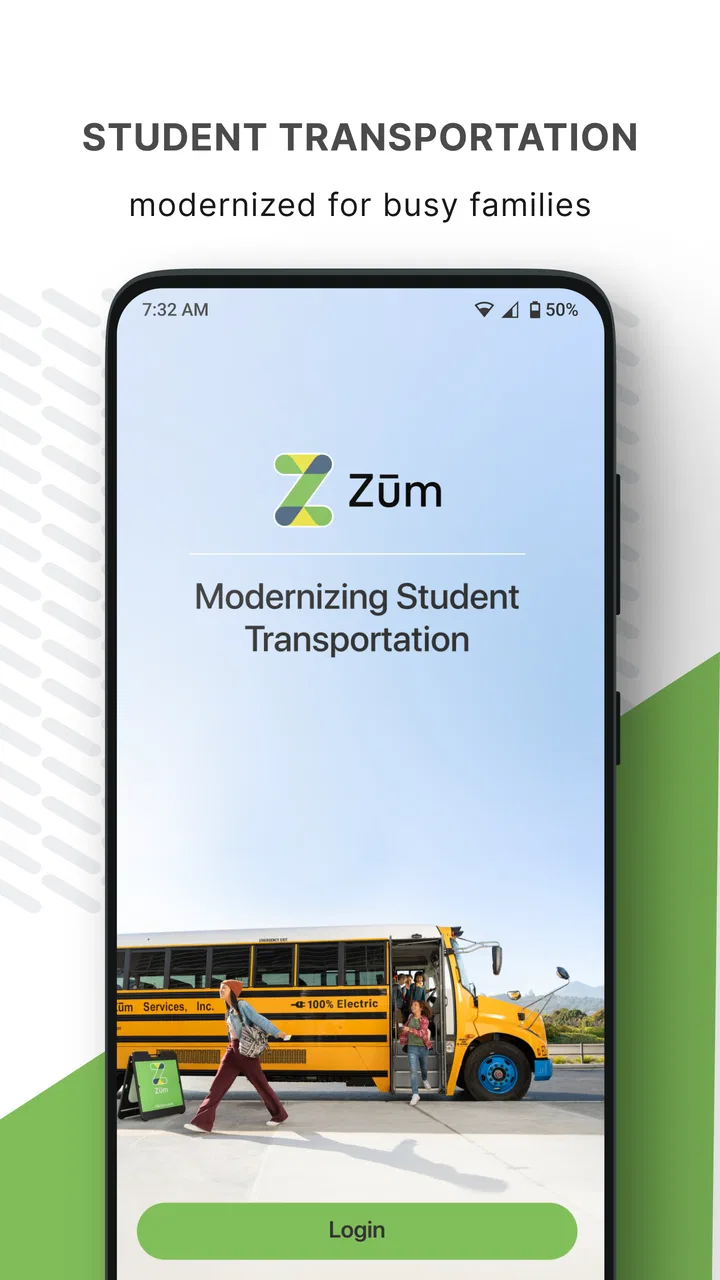
Zum - Student Transportation
- 4.5
- Rating
- 100.00K
- Installs
- Free
- Price

 Analysis by App-foxy
Getting a child to school is one thing; knowing whether the planned ride is progressing smoothly is another. Zum – Student Transportation is a free Maps & Navigation app from Zum that focuses on tracking and managing a child’s rides rather than replacing a general-purpose map. I approached it as a parent-facing travel tool, paying particular attention to how much control it gives families and how carefully a location-focused app should be used.
My overall impression is that Zum makes the most sense when a child’s transportation is arranged through a school or organized student-ride service. It is not a broad navigation companion for every family trip, and it is not the app I would choose simply to find a faster route across town. Its value is narrower and more practical: giving a parent a place to follow the ride process and stay oriented around school transportation.
What Zum is really for in daily family life
The app’s category can be misleading if you expect something similar to a conventional driving navigator. Zum is better understood as a specialized family transportation tool. The central question is not “How do I get there?” but “What is happening with my child’s arranged ride?” That distinction affects whether the app will feel useful or unnecessary.
You May Also Like

 Blood Strike: 2.5 Anniversary
Blood Strike’s Loadouts Turn Every Drop Into a Tactical Gamble
A close look at Blood Strike’s custom loadouts: how fast access to signature weapons reshapes its battle royale rhythm, rewards preparation, and narrows the gap between fights.

 Pandora - Music & Podcasts
Pandora’s Music Is Easy to Start, but Harder to Recover
Pandora’s strength is its low-effort path from a seed to a station. Its weak spot is how much confidence it asks you to place in connection, setup, and quiet recovery.

 8 Ball Pool
 Is Built on Rivalries, Rematches, and Routine
A close look at the rivalries, rematches, shared routines, and unanswered safety questions that turn a quick pool match into a persistent mobile community.

 Samsung Music
’s Quiet Strength Is Playing What You Already Own
Its reach comes less from spectacle than from dependable access to a personal library. That simplicity is both the app’s strongest retention engine and its ceiling.

 AccuWeather: Weather Radar
AccuWeather Review: A Quick, Clear Forecast for Everyday Decisions
For everyday plans, the best forecast is the one you can understand quickly. AccuWeather makes rain timing, radar, and local conditions easy to act on, with a few trade-offs.

 Hill Climb Racing
Why Hill Climb Racing Still Turns Crashes Into One More Run
A tiny car, a bumpy hill and one more upgrade: Hill Climb Racing keeps resurfacing because its simple chaos makes every near-miss feel personal.
More From Our News Desk



Imagine a weekday morning when one parent has already left for work and the other is preparing a younger child. Instead of relying entirely on messages or repeated calls, the parent can use the app as the dedicated place to follow the child’s ride and manage the transportation context. In the afternoon, the same information can help a caregiver judge when to be ready, rather than waiting by the door for an uncertain period.
That workflow is especially helpful for families whose schedules change from day to day. A parent may be at home one morning, at work the next, or handing pickup responsibility to another trusted adult. A transportation-focused app can reduce the need to reconstruct the plan from scattered conversations. The benefit is not flashy mapping; it is having one relevant view for a specific responsibility.
Zum has been available since February 12, 2016, and the current version is 3.0.10. Its longevity and focused purpose make it feel more like an established service companion than a casual map experiment. The developer is Zum, and the app has passed the threshold of one hundred thousand installs, with a 4.5 average from roughly one thousand two hundred ratings and 466 written reviews. Those figures suggest meaningful use, although they should not replace checking whether the transportation arrangement in your own school or community is supported.
Where it fits better than ordinary map apps
Google Maps, Apple Maps, and similar tools are excellent when I need directions, traffic context, or a route for my own journey. They are not designed around the parent’s responsibility for a child’s scheduled school ride. A messaging app can keep a family in contact, but it depends on someone remembering to send updates. A calendar can record pickup times, but it cannot serve as the dedicated transportation view.
Zum occupies that gap. Its advantage is specialization, not breadth. If your main problem is coordinating school rides, a focused tool can be easier to interpret than a general map filled with unrelated places, routes, and navigation controls. If your problem is finding a destination or planning a road trip, the usual map app remains the better choice.
There is also an important trade-off: specialization only helps when the surrounding transportation arrangement is compatible with the app. A parent should not assume that installing it automatically creates a complete school-bus tracking system. The practical value depends on having the relevant ride information available through the service and on using the correct account or setup. That is the first thing I would clarify before making it part of a morning routine.
Trust starts with the location context
Any app connected with a child’s ride deserves more scrutiny than a casual weather or entertainment app. Even when the interface is simple, the subject is sensitive: schedules, pickup routines, and the possibility of location-related information. I therefore judge Zum less by how impressive its map looks and more by whether I can understand what I am being asked to do, what I can control, and when the app is actually necessary.
The age classification is Everyone, but that does not mean every family should use it without thought. An Everyone label describes the app’s content suitability; it is not a substitute for a parent’s judgment about accounts, devices, household access, and the way transportation information is shared. I would treat the app as a family logistics tool and keep its use limited to the adults or caregivers who genuinely need it.
A sensible first step is to install it on the device of the person responsible for transportation decisions, rather than automatically putting it on every family phone. That reduces unnecessary exposure and makes it clearer who is expected to monitor a ride. If several caregivers need access, I would decide that deliberately instead of passing around one account casually.
Account setup and the importance of checking each choice
When I try a transportation app, I do not rush through the first screens just to reach the map. I look closely at every request involving an account, child details, ride information, notifications, or location access. The useful question is not only “Can I make this work?” but also “Which parts are essential for the service I actually need?”
For Zum, that careful approach matters because a child’s ride is more sensitive than an ordinary destination search. If the app presents optional notifications or device permissions, I would enable only the ones that support a clear task, such as being alerted when an update is genuinely important. I would avoid granting broad access simply because it makes setup faster.
Permission wording can also change over time or vary by operating system. The safest habit is to read the current prompt on the device rather than relying on an old tutorial or a friend’s description. If a permission seems unrelated to tracking or managing a school ride, I would pause and investigate it before accepting. That is not a criticism of Zum specifically; it is a practical rule for any app handling family transportation.
Another useful habit is to review the app’s settings after the first successful ride rather than assuming the initial configuration is ideal. Check which alerts arrive, which ones are distracting, and whether the account is being used by the right caregiver. A quiet, purposeful notification setup is more useful than turning on every possible update and eventually ignoring them all.
Moments when data sensitivity matters most
The most sensitive moments are not necessarily when the app is open. They are the moments when a parent shares a device, forwards a screenshot, leaves a phone unlocked, or allows another person to use the account. Ride-related information can reveal routines even when nobody intends to disclose it widely. I would avoid sending screenshots to group chats or posting them where a child’s schedule could become visible to people who do not need it.
Shared family tablets deserve special attention. If a tablet is used by children for games or video, I would not leave a transportation account permanently accessible there unless that arrangement is intentional. A separate adult device is usually easier to manage because it reduces accidental viewing and makes account responsibility clearer.
Notifications can create a similar issue. A lock-screen preview may be convenient, but it can also expose transportation details to anyone near the phone. I would inspect the operating system’s notification privacy controls and decide whether full previews are necessary. If the phone is often left on a desk at work or passed between family members, hiding sensitive previews may be a worthwhile compromise.
I would also avoid treating a live or recent ride view as proof that a child is physically safe at that exact second. Digital status can be delayed, misunderstood, or viewed outside its intended context. The app may help me coordinate, but it should complement sensible adult supervision and the transportation provider’s normal procedures, not replace them.
Useful routines that are easy to overlook
One of the better ways to use a focused transportation app is to make it part of a short checklist rather than stare at it continuously. Before the morning rush, I would confirm that the correct child and ride context are selected, check for a meaningful update, and then put the phone away. Repeating that routine is less stressful than refreshing the screen every few minutes.
A second practical insight is to separate monitoring from contingency planning. Zum can help me understand the ride situation, but I would still keep a backup plan for a missed pickup, a changed work schedule, or a caregiver who is delayed. Writing down the school’s normal contact route and the approved emergency contacts prevents a tracking app from becoming the only link in the chain.
A third is to review access when family circumstances change. If a caregiver no longer handles pickups, an old device or shared login should not remain the default simply because it is convenient. Removing unnecessary access, signing out of unused devices, and checking who receives alerts are small steps that make a child-focused service easier to trust.
A fourth is to use the app as a coordination aid, not as a substitute for communication. If a ride appears late or unusual, I would contact the appropriate school or transportation channel instead of assuming the map or status tells the whole story. This avoids a common mistake: treating one screen as more authoritative than the people responsible for the actual ride.
What the experience may feel like for different families
For a parent with a regular school transportation routine, the focused design can reduce mental clutter. The app’s purpose is easy to explain to another caregiver: this is where we check the child’s ride. That clarity is a real strength compared with a general map, where the user must remember which route, saved place, or message thread contains the relevant information.
For a family with several children, changing schedules, or multiple pickup arrangements, the experience may require more discipline. The more transportation contexts a household has, the more important it becomes to verify the selected ride before acting on an update. A glance at the wrong child or wrong day could create confusion, so I would slow down at precisely the point where the morning rush encourages quick taps.
For a caregiver who rarely handles school transportation, the app may be less useful than a clear handoff from the primary parent. Installing it does not automatically solve communication. I would first decide what that person needs to know, whether they need their own access, and how they should respond if the ride information looks unexpected.
For someone who wants turn-by-turn directions, traffic avoidance, or public-transit planning for their own commute, I would skip Zum and use a mainstream navigation app. Its purpose is too specific to justify replacing a tool built for those tasks.
Questions I would settle before relying on it
The first question is whether Zum is connected to the transportation service that carries the child. I would confirm that before building a routine around it. A polished app cannot display useful ride information if the relevant school or arrangement is not part of the supported workflow.
The second is who should hold the account. My preference would be one clearly responsible adult, with additional access granted only when another caregiver truly needs it. That makes changes easier to track and reduces the chance that an old phone or forgotten login remains active.
The third is how much notification detail is appropriate. I would begin with the smallest useful set, observe whether it helps with morning and afternoon handoffs, and adjust from there. More alerts are not automatically better, especially when they expose information on a lock screen or create alarm fatigue.
The fourth is what to do when the displayed status conflicts with reality. My answer would be to use the app as an early signal, then verify through the school or transportation contact process. I would not ask a child to make an independent decision based only on what appears on a parent’s screen.
The fifth is whether the app earns a permanent place on the phone. If the household uses student transportation regularly and the app reduces uncertainty, keeping it installed is reasonable. If rides are rare or the service is not connected to the family’s arrangements, removing it after testing may be the cleaner choice.
Version, cost, and practical expectations
Zum is free to install, which makes trying it relatively straightforward. There is no purchase decision standing between a family and an initial evaluation, but “free” should not encourage careless setup. I would still review account choices, permissions, notifications, and device access with the same care I would give a paid family service.
The current release is version 3.0.10, and the app requires at least operating system version 9. That requirement is modest enough for many older devices, but families using very old phones should check compatibility before depending on it for time-sensitive transportation. I would also keep the device updated and make sure its own lock-screen and account protections are configured sensibly.
The rating of 4.5, drawn from about 1.2 thousand ratings and 466 reviews, gives the app a positive public reception. I treat that as a useful signal rather than a guarantee. Transportation experiences can vary with the surrounding service, the school’s process, the caregiver’s expectations, and the reliability of the device connection. A high rating cannot answer whether it fits your particular ride arrangement.
My cautious verdict for parents and caregivers
I see Zum as a focused tool for families who need a dedicated way to track and manage a child’s school rides. Its strongest quality is that it addresses a specific responsibility instead of trying to become another all-purpose map. In the right transportation setup, that focus can make daily handoffs easier and reduce dependence on scattered messages.
My recommendation comes with boundaries. I would use it with a deliberate account plan, limit access to people who need it, review every permission and notification choice, and keep a human backup process for delays or unusual situations. I would also avoid sharing ride information casually and would not treat the app as a guarantee of a child’s immediate safety.
Zum is worth considering when school transportation is already part of your family routine and the service supports your rides. It is not the right choice for general navigation, independent trip planning, or households that do not need student-ride management. For those families, a normal map app or a simple agreed communication routine may be more appropriate. For parents who do need this specialized view, the app can be useful precisely because it stays close to the practical question that matters: how to manage the child’s arranged ride with as little confusion as possible.
In my experience, the best way to judge it is not by installing it and immediately handing it a permanent role. Try it during a normal school-day transition, observe whether the information is understandable and useful, then refine the account and privacy settings before relying on it regularly. That cautious trial gives Zum a fair chance while keeping the parent—not the app—in control of the transportation decision.
As a free app for Everyone in Maps & Navigation, Zum – Student Transportation has a clear audience and a sensible place in a family’s toolkit. I would recommend it to parents and caregivers whose school-ride workflow matches its purpose, while steering everyone else toward a broader navigation option. Its value comes from focused coordination, and its trustworthiness depends on using that focus carefully.
FAQs for Zum - Student Transportation
01What is Zum – Student Transportation, and who can use it?
Zum – Student Transportation is a school transportation platform designed to help families, schools, and districts coordinate student rides. Depending on the local school program, it may support bus transportation, carpooling, van services, or other approved options. Availability, eligibility, and supported features can vary by school, district, and location, so parents should confirm that their child’s school participates before downloading and creating an account.
02How do I set up my child’s transportation in the Zum app?
After signing in, parents or guardians generally provide student details, pickup and drop-off information, school information, and any relevant transportation preferences. The exact setup process depends on the school or district’s configuration. In some cases, transportation is assigned by the school rather than selected directly by the family. Carefully review addresses, schedules, authorized contacts, and notifications before relying on the app for daily travel updates.
03Can I track my child’s ride and receive pickup notifications?
Zum may provide real-time or near-real-time transportation updates, including estimated arrival times, vehicle location, pickup status, and notifications when a ride is approaching or completed. However, tracking accuracy can depend on GPS coverage, cellular service, driver check-ins, and the school’s settings. Parents should treat app alerts as helpful updates, not a replacement for agreed safety procedures or direct communication with the school.
04What should I do if my child’s ride is late, missing, or incorrect?
If a scheduled ride is delayed or does not appear, first check the trip details, notifications, and any messages posted in the app. Confirm that the pickup address and schedule are correct, then contact the school transportation office or the support channel provided by your district. For urgent safety concerns, use the school’s official emergency contact process rather than relying only on in-app messaging.
05Is Zum – Student Transportation free, and is my personal information secure?
The app may be free for parents to download, but transportation services, eligibility, and any related costs are determined by the participating school or district. Because the platform handles student, guardian, address, and trip information, review its privacy policy and your school’s data practices before use. Only provide required details, keep login credentials private, and install the app from an official Android or iOS store.
Pros
- Real-time bus tracking helps families monitor a student’s journey.
- Trip alerts can provide useful updates about pickups
- drop-offs
- and delays.
- Designed specifically for school transportation coordination.
- Supports safer communication between schools
- drivers
- and families.
- Clear route and rider information can simplify daily planning.
Cons
- Availability depends on whether the student’s school district supports Zum.
- Location tracking may raise privacy concerns for some families.
- Notifications can be delayed by weak internet or device settings.
- Some features may require school-issued access or account approval.
- Transportation details may change without appearing immediately in the app.

Zum - Student Transportation
Gallery